What Information Can You Get From a License Plate?
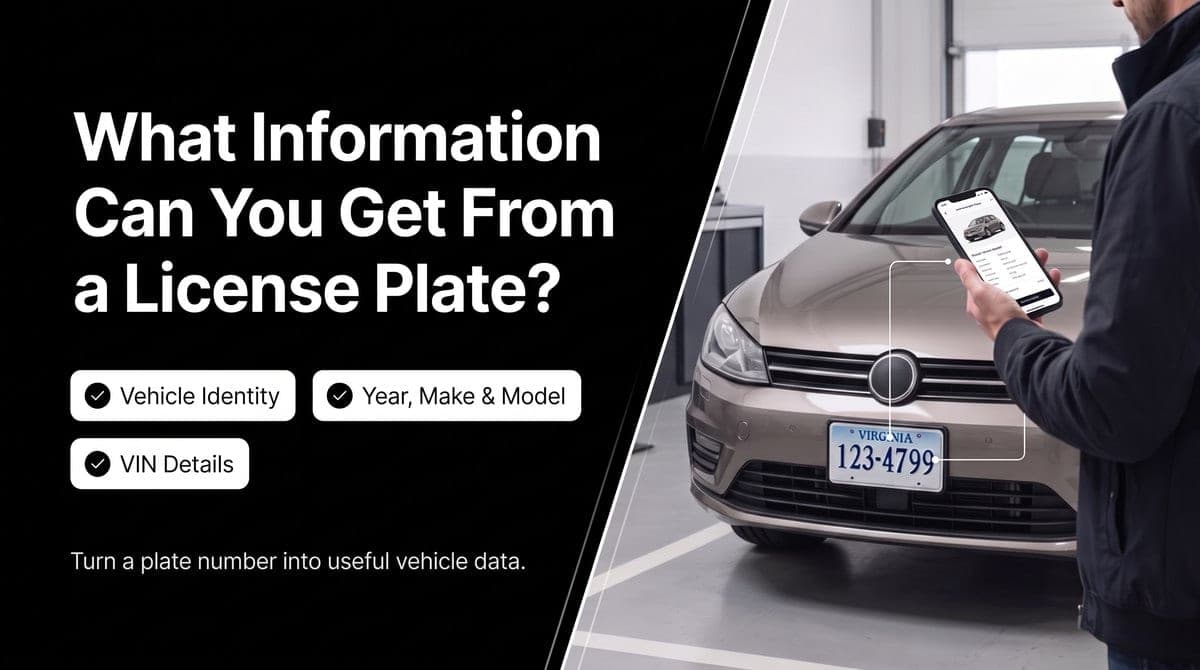
A license plate can help identify a vehicle when you do not have its VIN.
With a license plate lookup, you may be able to retrieve useful vehicle details such as the VIN, make, year, model, plate number, and state. The exact information depends on the lookup service and the vehicle data available for the plate.
For developers, a license plate lookup API makes this process easier. Instead of checking vehicle information manually, an application can send a plate number and state, then receive structured JSON data.
This guide explains what information you can get from a license plate, what the data means, and how a license plate lookup API works.
What Information Can You Get From a License Plate?
A license plate lookup can return several types of vehicle information.
Common response fields include:
- Vehicle Identification Number (VIN)
- Vehicle make
- Vehicle year
- Vehicle model
- License plate number
- State associated with the plate
For example, a successful lookup may connect a plate with a vehicle record like this:
{
  "status": "success",
  "data": {
    "vin": "3GNCJLSBXLL230525",
    "year": "2020",
    "make": "Chevrolet",
    "model": "Trax",
    "plate": "9247DG",
    "state": "VA"
  }
}
This response identifies the vehicle as a 2020 Chevrolet Trax. It also includes the VIN, plate number, and state.
The following sections explain each field in more detail.
1. Vehicle Identification Number (VIN)
The VIN is one of the most useful pieces of information returned by a license plate lookup.
A Vehicle Identification Number, or VIN, is a unique identifier used to identify a specific vehicle. It is commonly used when retrieving additional vehicle information from other services.
In the example response, the VIN is:
{
  "vin": "3GNCJLSBXLL230525"
}
The VIN can become the starting point for additional vehicle-data requests, such as:
- VIN decoding
- Vehicle specifications
- Vehicle history
- Title information
- Auction records
- Recall information
The availability of these additional details depends on the services and data sources being used.
A license plate lookup is useful because it can help you find the VIN when the VIN is not already known.
2. Vehicle Make
The vehicle make identifies the manufacturer.
In the example response, the make is:
{
  "make": "Chevrolet"
}
The make can be displayed in a vehicle search result, inventory record, dealership tool, or automotive application.
For example, an application might display:
Make: Chevrolet
The make becomes more useful when combined with the year, model, and VIN.
3. Vehicle Year
The year identifies the model year returned by the lookup service.
In the TorqueNode example, the year is:
{
  "year": "2020"
}
The year can help an application distinguish between vehicles with similar models or names.
For example, a vehicle record could display:
- Year: 2020
- Make: Chevrolet
- Model: Trax
However, the year alone does not tell you the vehicle's mileage, condition, accident history, or current market value. Those details require other data sources.
4. Vehicle Model
The model identifies the specific vehicle line.
The example response includes:
{
  "model": "Trax"
}
Together, the make, year, and model provide a basic description of the vehicle:
- Year: 2020
- Make: Chevrolet
- Model: Trax
This information can be used to create a simple vehicle profile or help users confirm that the correct vehicle was found.
5. License Plate Number
A successful response may also return the plate number used in the request.
In the example:
{
  "plate": "9247DG"
}
Returning the plate number is useful because it allows the application to compare the input with the returned result.
For example, a system can confirm that the vehicle record matches the plate number submitted by the user.
6. State Associated With the Plate
The state is another important field in a license plate lookup response.
The example includes:
{
  "state": "VA"
}
The state identifies the jurisdiction associated with the plate.
This matters because license plates are issued by different states, and the same plate number may not be unique across the entire country.
That is why a license plate lookup API commonly asks for both:
- plate
- state
Using both values helps the API identify the correct vehicle record.
What Does the status Field Mean?
The example response also contains a status field:
{
  "status": "success"
}
This field shows the result of the API request.
In the example, the value is success, which means the request returned a successful response.
The vehicle information is placed inside the data object.
The response has this basic structure:
status
  └── Request result

data
  ├── vin
  ├── year
  ├── make
  ├── model
  ├── plate
  └── state
This structure makes the response easy for an application to parse and use.
What Does a License Plate Lookup Not Tell You?
A license plate lookup is mainly a vehicle identification tool.
It should not be treated as a way to retrieve every detail about the vehicle owner or driver.
A basic vehicle lookup does not automatically provide:
- The owner's private address
- The owner's phone number
- The driver's personal information
- Private DMV records
- Private insurance records
- A complete vehicle history report
- The vehicle's current market value
The information available depends on the data source, service, jurisdiction, and applicable privacy restrictions.
In simple terms, a plate lookup can help identify the vehicle, but it should not be assumed to reveal private information about the person connected to it.
License Plate Lookup vs. VIN Lookup
License plate lookup and VIN lookup begin with different inputs.
License Plate Lookup
A license plate lookup starts with:
License plate + stateThe result may include:
VIN + year + make + modelVIN Lookup
A VIN lookup starts with:
VINThe VIN can then be used to request other vehicle information, depending on the service.
A common workflow looks like this:
License Plate
      ↓
Plate + State
      ↓
Vehicle Match
      ↓
VIN
      ↓
Additional Vehicle Data
This makes a license plate lookup useful when the VIN is not available at the beginning of the process.
How TorqueNode's License Plate Lookup API Works
TorqueNode provides a license plate lookup endpoint that accepts a plate number and state.
The request format is:
curl -X GET "https://api.torquenode.com/license-decode?plate={PLATE}&state={STATE}" \
  -H "x-api-key: YOUR_API_KEY"
Replace the placeholders with the actual plate number and state.
For example:
curl -X GET "https://api.torquenode.com/license-decode?plate=9247DG&state=VA" \
  -H "x-api-key: YOUR_API_KEY"
The API returns vehicle information in JSON format.
Example API Response
{
  "status": "success",
  "data": {
    "vin": "3GNCJLSBXLL230525",
    "year": "2020",
    "make": "Chevrolet",
    "model": "Trax",
    "plate": "9247DG",
    "state": "VA"
  }
}
In this example, the response identifies the vehicle as a 2020 Chevrolet Trax.
The response includes:
Field    | Value               | Meaning
---------|---------------------|----------------------------------
status   | success             | The request completed successfully
vin      | 3GNCJLSBXLL230525   | Vehicle Identification Number
year     | 2020                | Vehicle year
make     | Chevrolet           | Vehicle manufacturer
model    | Trax                | Vehicle model
plate    | 9247DG              | License plate number
state    | VA                  | State associated with the plate
The exact fields returned may vary depending on the lookup result and available vehicle data.
How Developers Can Use License Plate Data
License plate data can support several types of applications.
Vehicle Marketplaces
A marketplace can allow users to enter a license plate and display basic vehicle information.
This can help users confirm that they are viewing the correct vehicle.
Dealership Tools
Dealership software can use plate lookup as an initial step before requesting more vehicle information.
For example:
Plate Number
      ↓
Vehicle Identification
      ↓
VIN
      ↓
Additional Vehicle Information
Vehicle Inventory Systems
Inventory systems can use vehicle information to create or update records.
The make, model, year, VIN, plate, and state can be stored as structured fields rather than entered manually.
Automotive Data Platforms
Automotive applications can use a plate lookup API as part of a larger vehicle-data workflow.
For example, a platform may use the returned VIN to request additional information from a separate VIN-based service.
Insurance and Fleet Applications
Some insurance and fleet workflows may need to identify a vehicle from its plate.
Whether a particular use case is supported depends on the data source, permissions, and applicable rules.
What Can You Do With the VIN After a Plate Lookup?
The VIN can be used as the starting point for additional vehicle-data requests.
For example:
License Plate
      ↓
VIN
      ↓
VIN Decoder
      ↓
Vehicle Specifications
Another workflow could look like this:
License Plate
      ↓
VIN
      ↓
Vehicle History Service
      ↓
Available History Records
This is where a plate lookup can become part of a larger vehicle-data workflow.
The plate helps identify the vehicle, while the VIN can help connect that vehicle to other services.
What Happens If a Plate Cannot Be Matched?
A lookup may not always return a vehicle record.
Possible reasons include:
- The plate number was entered incorrectly.
- The state was incorrect.
- The data source does not contain a matching record.
- The vehicle information is unavailable.
- The request does not contain the required parameters.
Applications should handle unsuccessful requests carefully.
For example, the application could show:
No vehicle match was found for the supplied plate and state.
It should not display an incomplete vehicle record as if the result were confirmed.
Are License Plate Lookup Results Always Complete?
For a successful TorqueNode license plate lookup, the standard vehicle fields are expected to be returned together: VIN, year, make, model, plate, and state. This gives developers a consistent vehicle record that can be displayed in their application or used in another vehicle-data workflow. Applications should still handle unsuccessful requests and unexpected API errors properly.
Can a License Plate Lookup Show Accident History?
A basic license plate lookup is not the same as a vehicle history report.
A plate lookup may help identify the vehicle or return its VIN. Accident history, title records, auction records, recalls, and other historical information generally require additional vehicle-data sources.
A common process is:
License Plate
      ↓
VIN
      ↓
Vehicle History Service
      ↓
Available History Records
The VIN can therefore be useful as a bridge between a license plate lookup and other vehicle services.
However, you should not promise accident history or other records unless the relevant service actually provides them.
Can a License Plate Lookup Show the Owner's Information?
You should not assume that a license plate lookup will provide private owner information.
Vehicle identification data and personal information are different categories of data.
A vehicle API may return:
- VIN
- Make
- Model
- Year
- Plate
- State
That does not mean it provides:
- Owner name
- Home address
- Phone number
- Driver details
Access to personal registration information may be restricted by law, policy, or the data provider.
What Should You Check Before Choosing a License Plate API?
Before integrating a license plate lookup API, check the following points.
Required Parameters
Confirm whether the API requires the plate number, state, or other values.
TorqueNode's license plate endpoint uses:
- plate
- state
Returned Fields
Check whether the response includes the information your application needs, such as:
- VIN
- Year
- Make
- Model
- Plate
- State
Authentication
Review how the API key must be sent.
TorqueNode's example uses the x-api-key header:
-H "x-api-key: YOUR_API_KEY"Keep API keys on the server side when possible. Avoid exposing private API keys in public frontend code.
Response Format
A JSON response is useful because most programming languages can parse it easily.
The TorqueNode response places vehicle information inside the data object.
Error Responses
Check how the API reports:
- Invalid inputs
- Missing parameters
- Unmatched plates
- Authentication problems
- Other request errors
Coverage
Confirm which states and plate types are supported.
Usage Limits
Review request limits, pricing, and other account requirements before using the API in production.
Documentation
Good documentation should explain:
- The endpoint
- Required parameters
- Authentication
- Response fields
- Error handling
- Usage limits
- Code examples
Frequently Asked Questions
What information can you get from a license plate?
Depending on the service, you may get the VIN, vehicle make, year, model, plate number, and state.
Can a license plate give you the VIN?
A license plate lookup API may return the VIN when it finds a supported match between the plate and vehicle record.
Can I get the make and model from a license plate?
Yes. A vehicle lookup service may return the vehicle's make, model, and year.
Do I need the state for a license plate lookup?
Many services require the state along with the plate number. The state helps identify the correct plate jurisdiction.
Can a license plate lookup show the owner's address?
You should not assume that it can. Basic vehicle lookup data is different from private owner information.
Is a license plate lookup the same as a VIN lookup?
No. A plate lookup starts with a plate number, while a VIN lookup starts with the vehicle's VIN.
Can a plate lookup show accident history?
Not necessarily. Accident history usually requires a separate vehicle history service.
Are license plate lookup results always complete?
No. Results depend on the available data and the fields supported by the API.
What does the status field mean in the API response?
The status field shows the result of the request. In the example response, success indicates that the request completed successfully.
Can I use the returned VIN with another API?
Yes, if the other API accepts VIN input. The returned VIN can be used as the starting point for additional vehicle-data requests.
Final Takeaway
A license plate can be a useful starting point for identifying a vehicle.
A license plate lookup may return the vehicle's VIN, make, year, model, plate number, and state. The VIN can then be used as the starting point for additional vehicle-data requests.
For developers, TorqueNode's License Plate Lookup API provides a simple way to send a plate and state and receive vehicle information in JSON format.
The example response identifies plate 9247DG from Virginia as a 2020 Chevrolet Trax and returns the VIN 3GNCJLSBXLL230525.
The most important thing to remember is that license plate lookup is primarily about vehicle identification, not private information about the vehicle owner.